00
Download WoW Pilot
Start by downloading the app. After installation, you can open the rotation market, download a ready rotation for free, and test it on a training dummy.
Starter guide
Loading rotations takes less than a minute!
Start by downloading the app. After installation, you can open the rotation market, download a ready rotation for free, and test it on a training dummy.
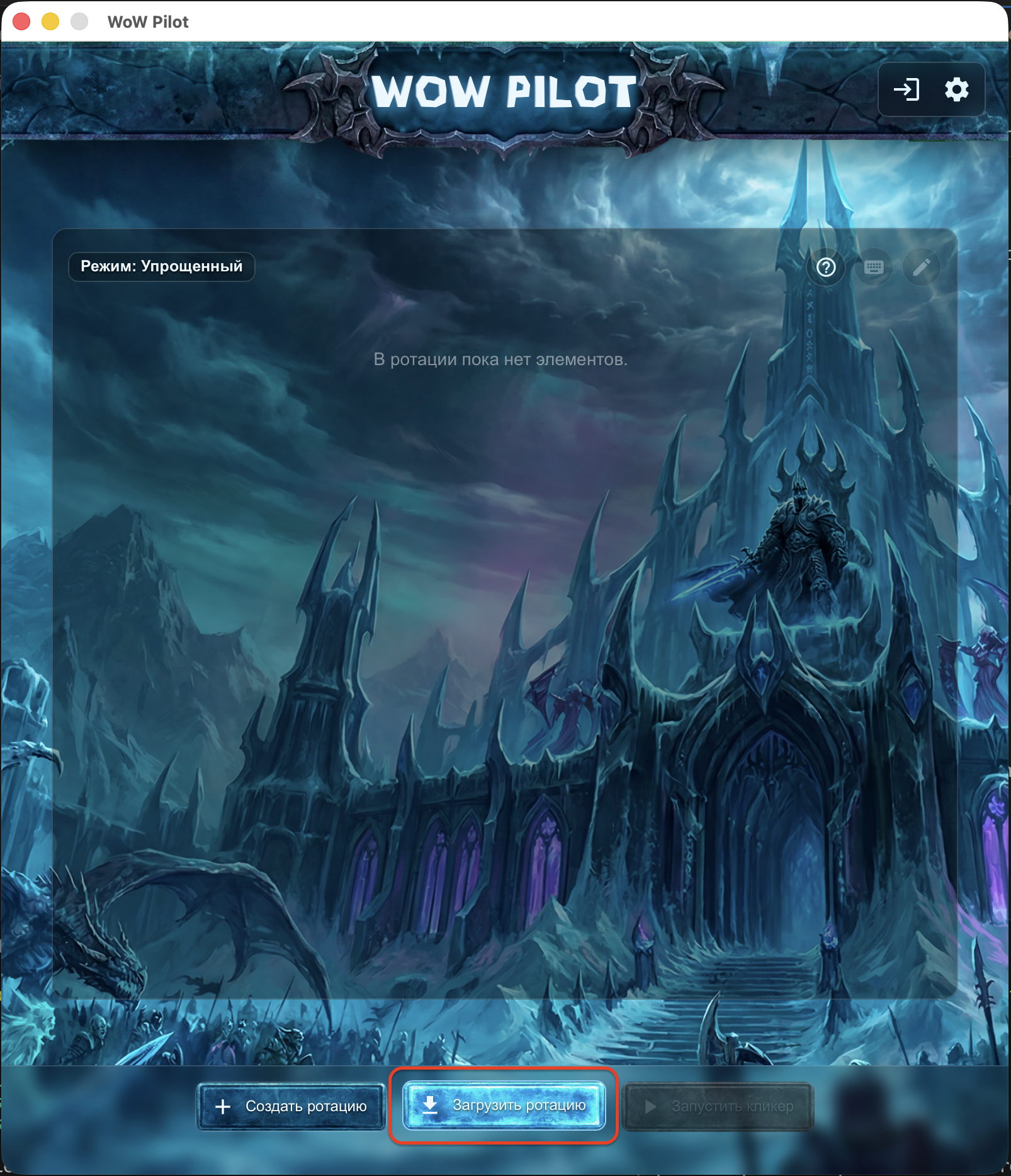
Launch WoW Pilot and click the “Load rotation“ button.
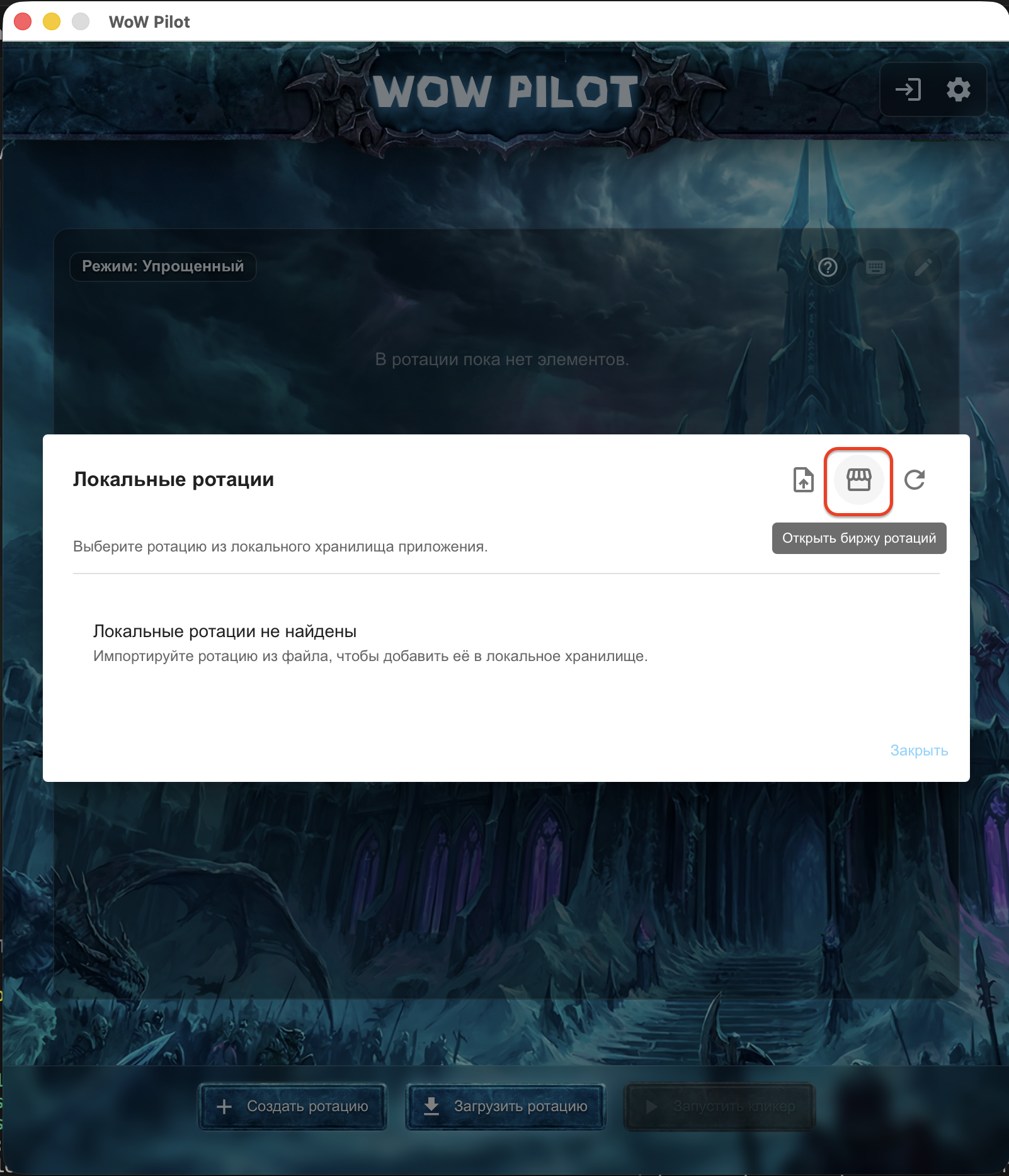
In the opened menu, click the “Open rotation market“ button.
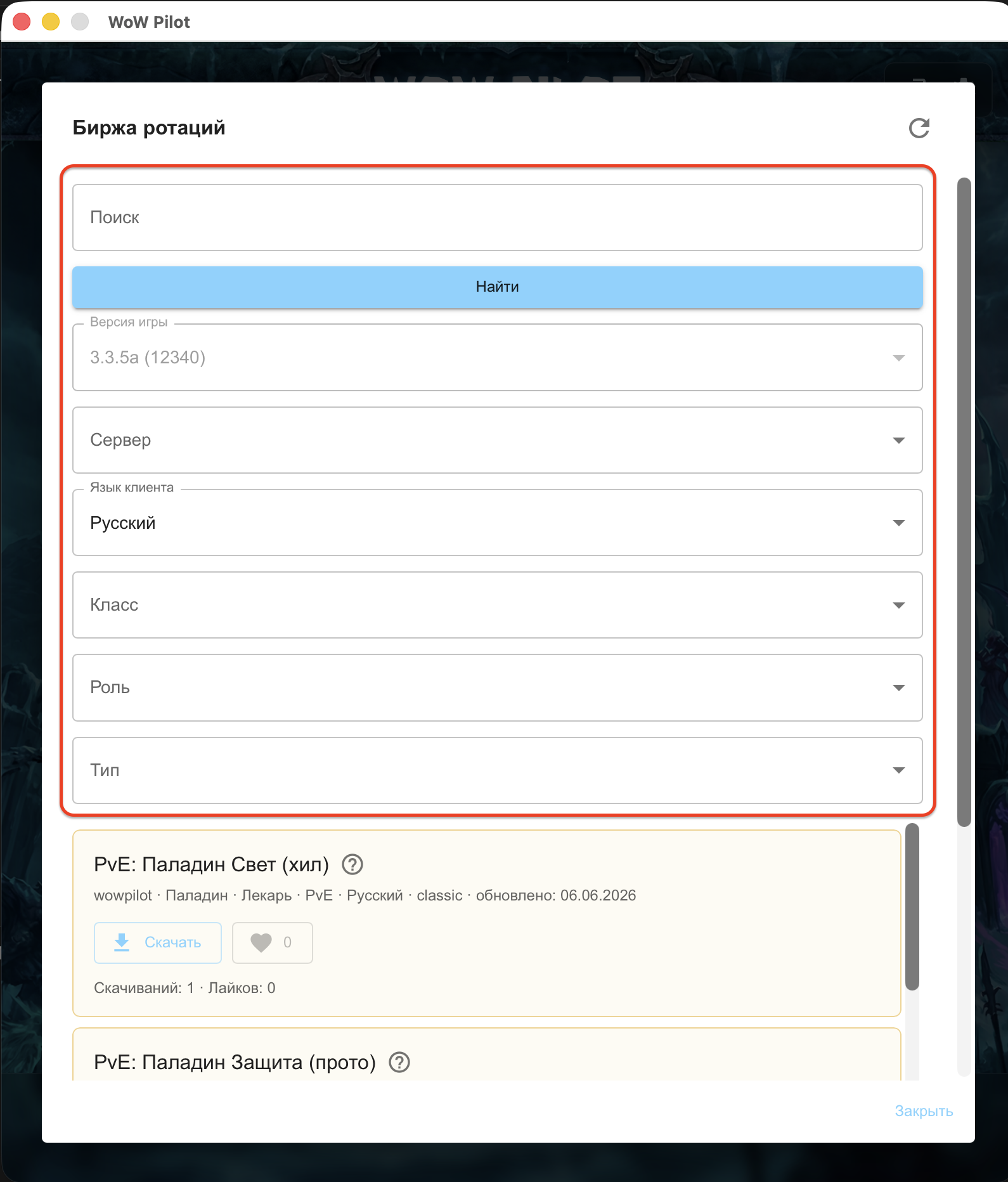
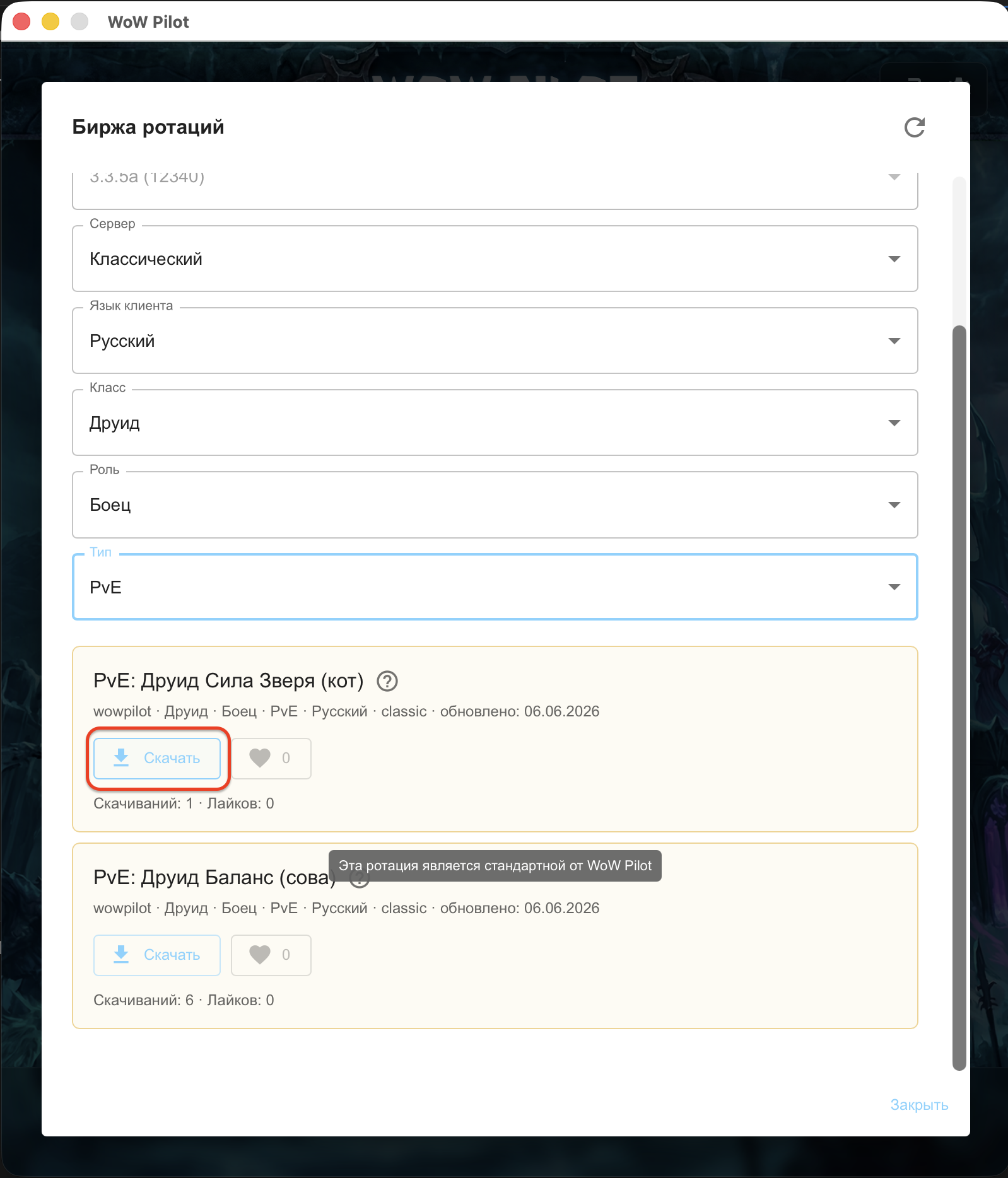
Select the game version, server, class, specialization, and role to find a matching rotation. Search works by rotation name or author nickname.
Note: If there is no rotation for your server, you can use a rotation from another Blizzlike server, for example WoW Circle.
Each rotation has a short description written by its creator. Check it before downloading to understand what playstyle it was built for.
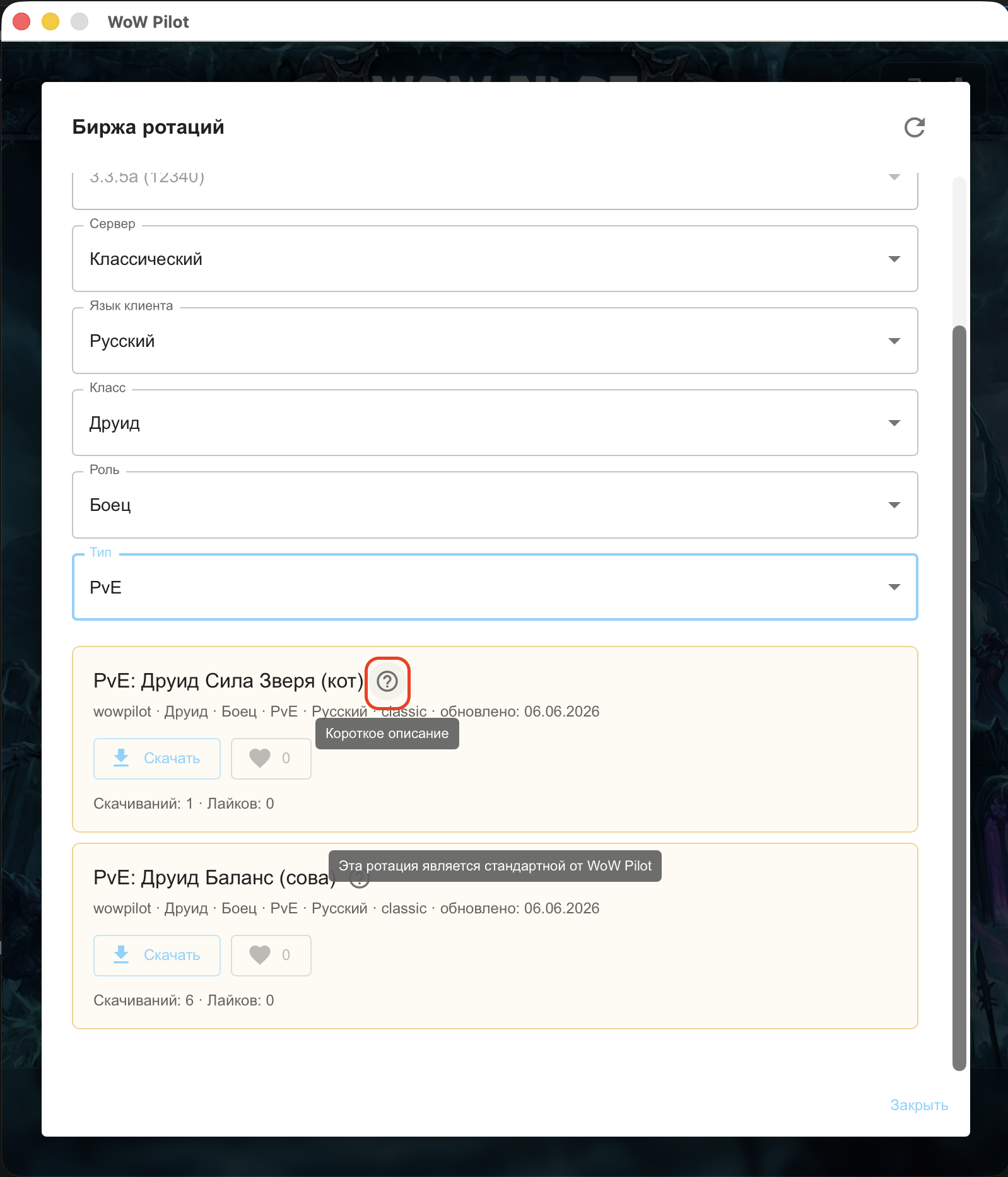
Once you have made your choice, click “Download”. The rotation will appear in the app right away and will be ready to launch.
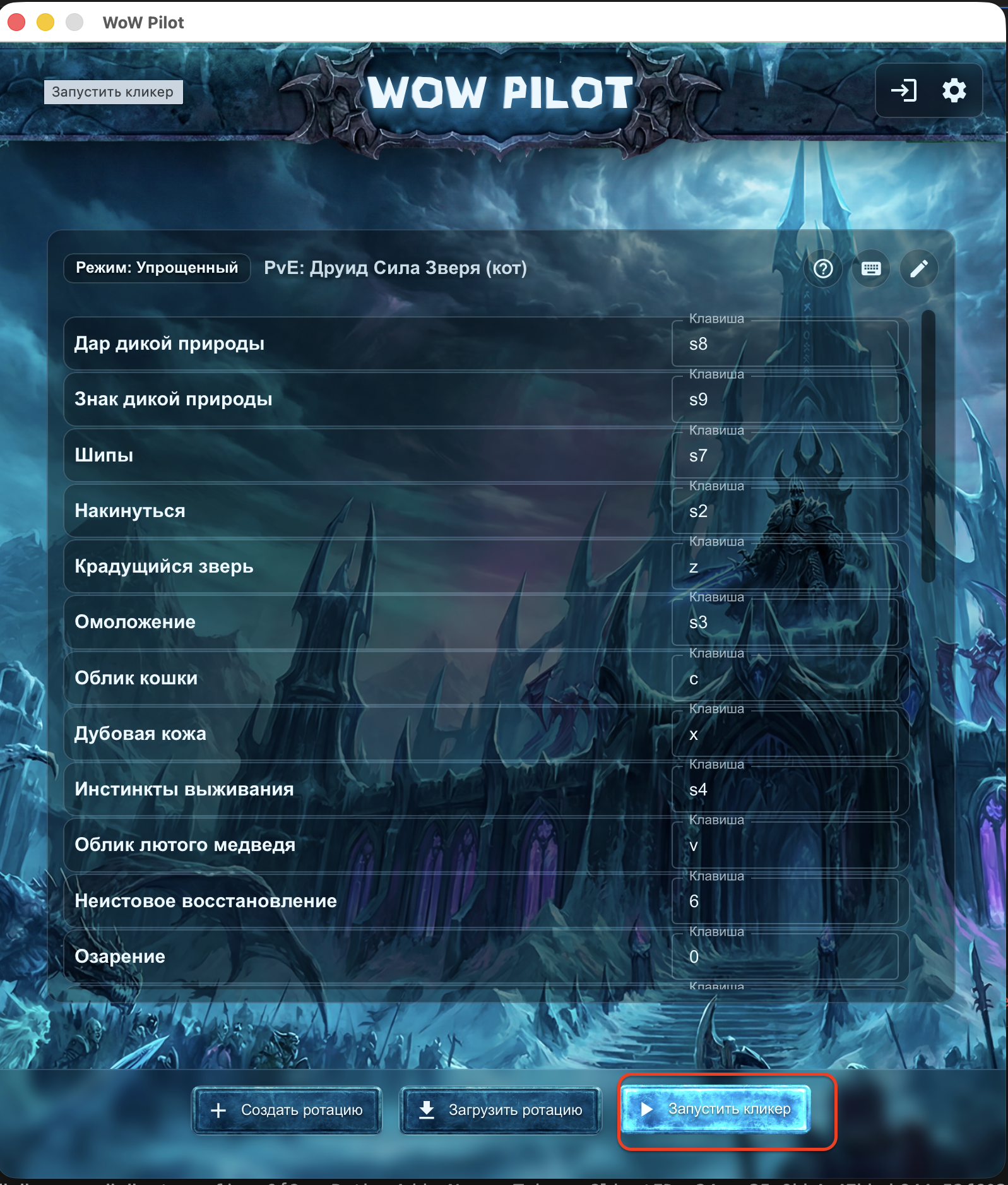
Click “Start” so WoW Pilot can run the loaded rotation.
Note: By default, WoW Pilot uses Automatic key assignment from the selected rotation. You can set the rotation keys to match the keys you use in WoW and disable this feature in settings.
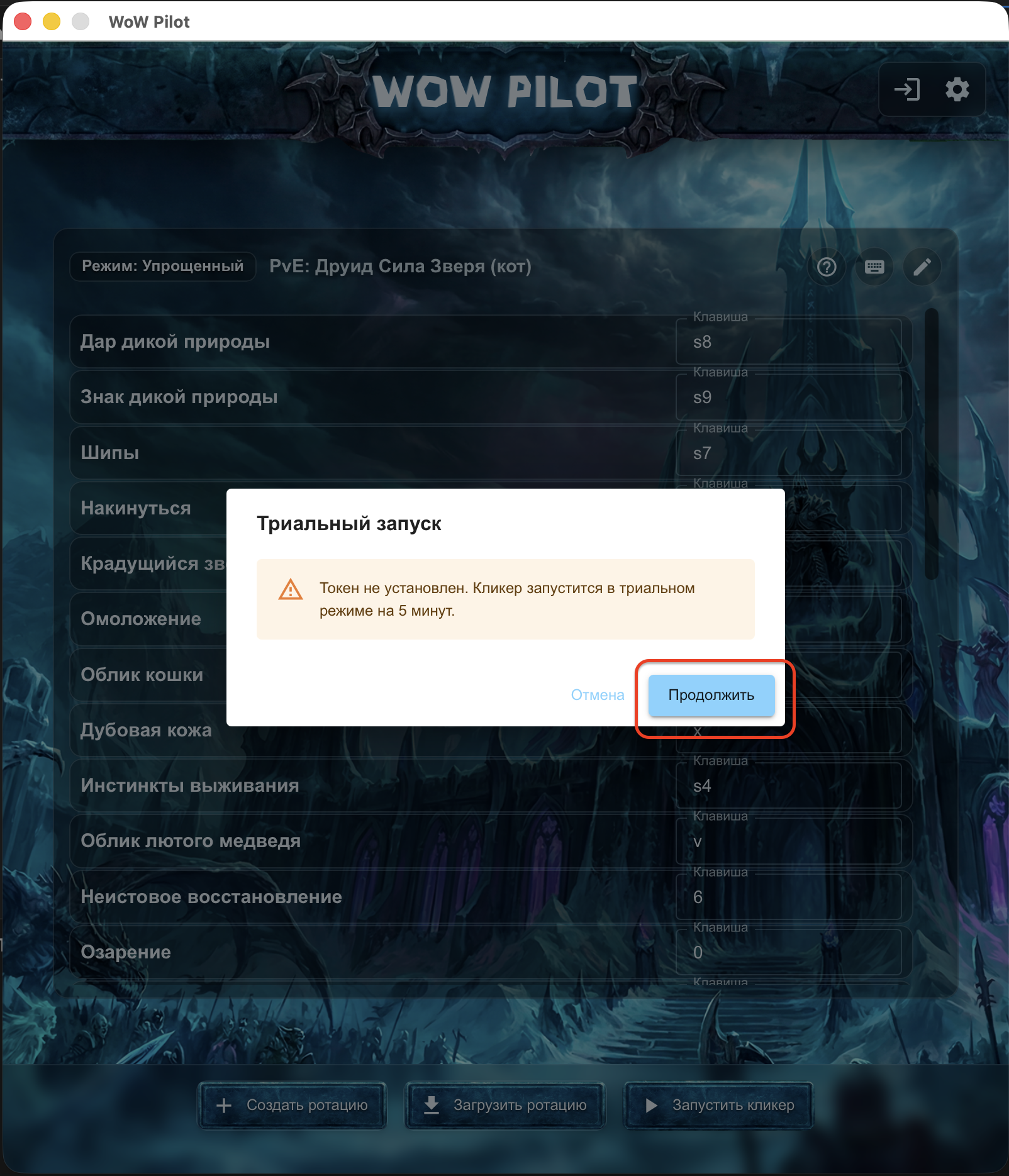
Without a token, you will see a warning about a trial session. Click “Continue” to start.
Note: You can start trial sessions an unlimited number of times. This is useful for testing a rotation on a training dummy: after 5 minutes, combat mode stops automatically.
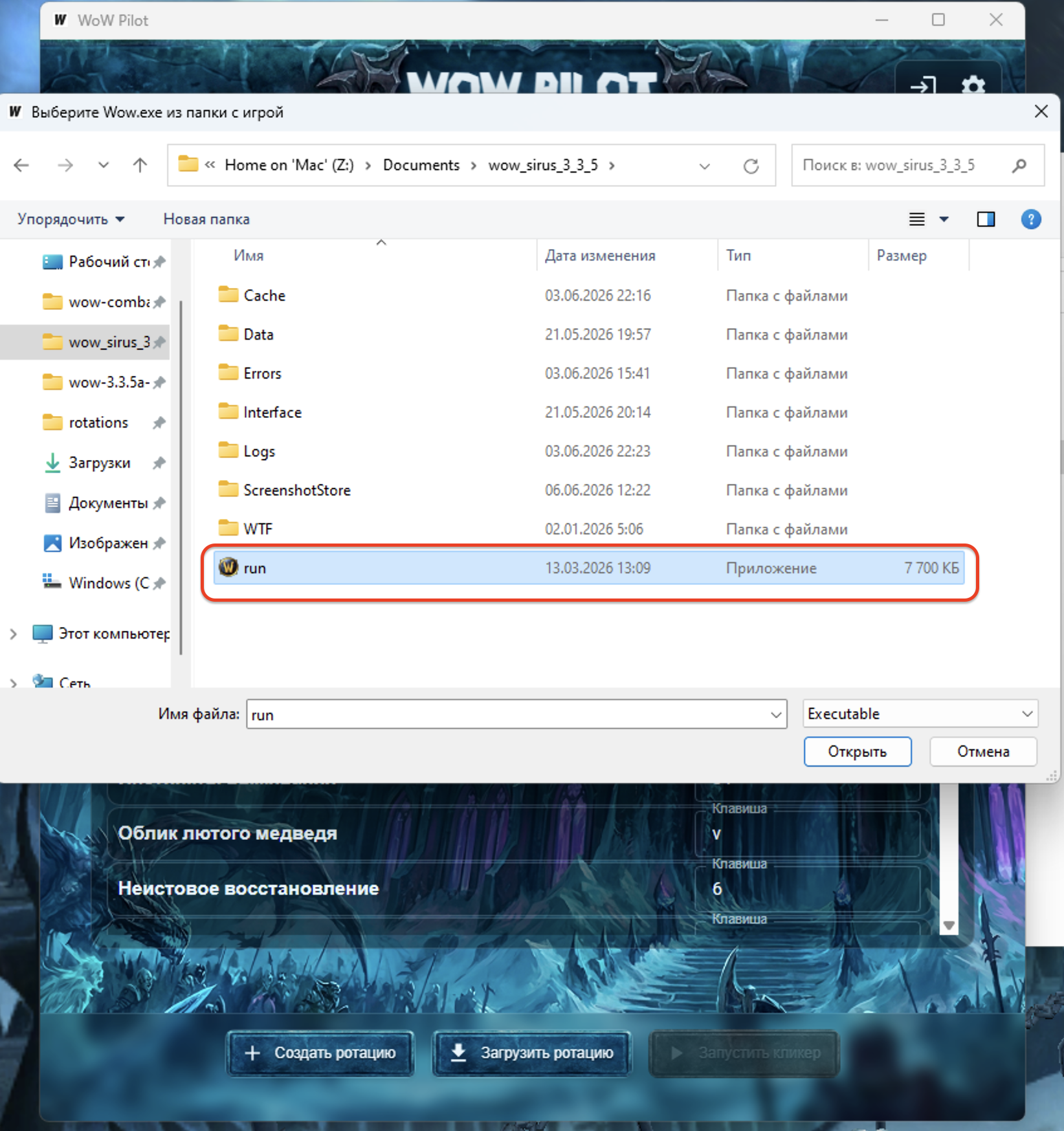
If the game path has not been selected in settings yet, a game folder selection window will open. Choose Wow.exe, or run.exe for Sirus.
Note: If this is the first addon generation, you need to restart the game. If you changed the addon name, do not forget to delete the addon with the previous name.
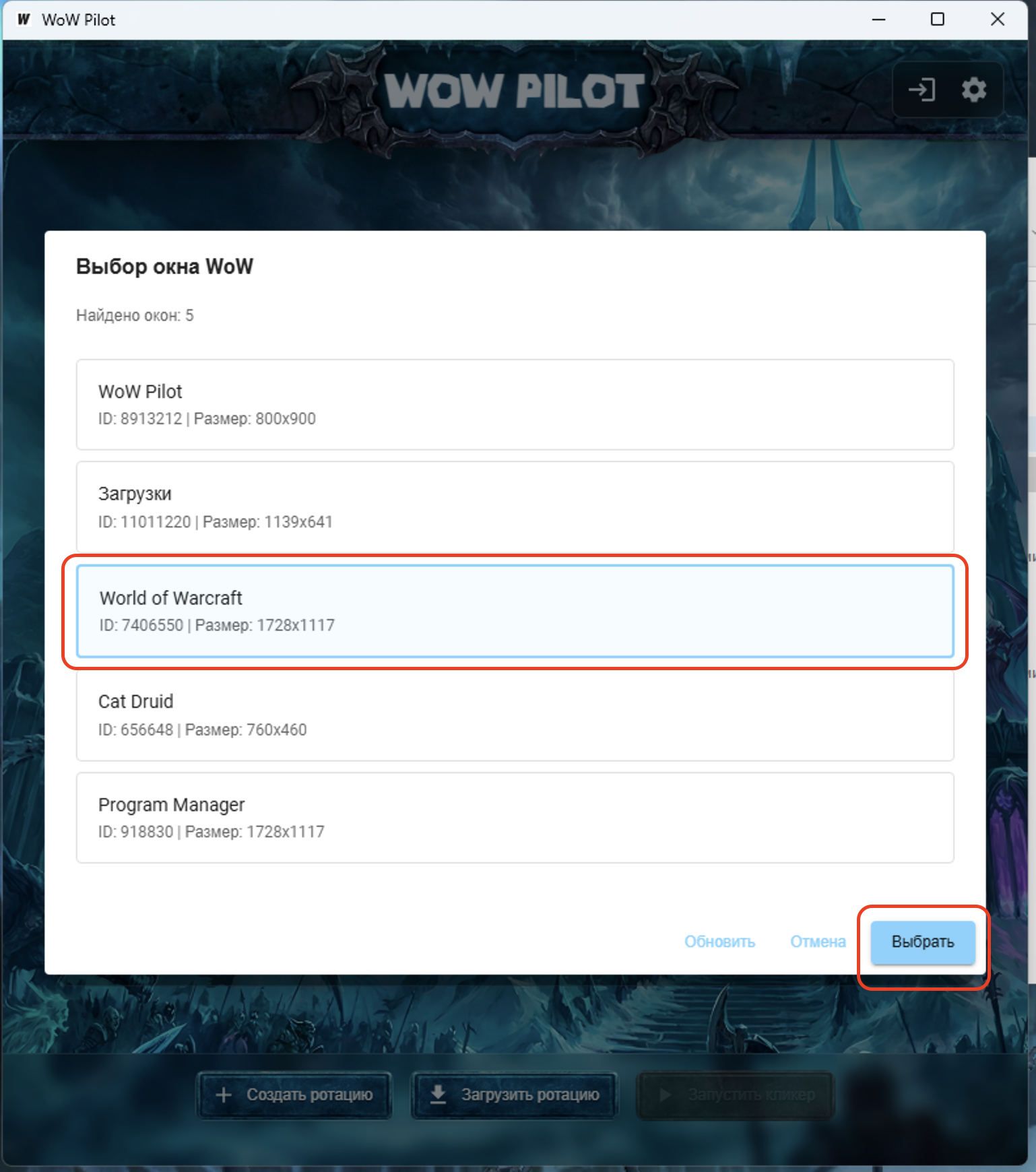
Select the game window that the combat assistant should work with.
Note: When you switch to the game, the interface should reload with the /reload command. If it does not happen, reload the interface manually or repeat the launch.
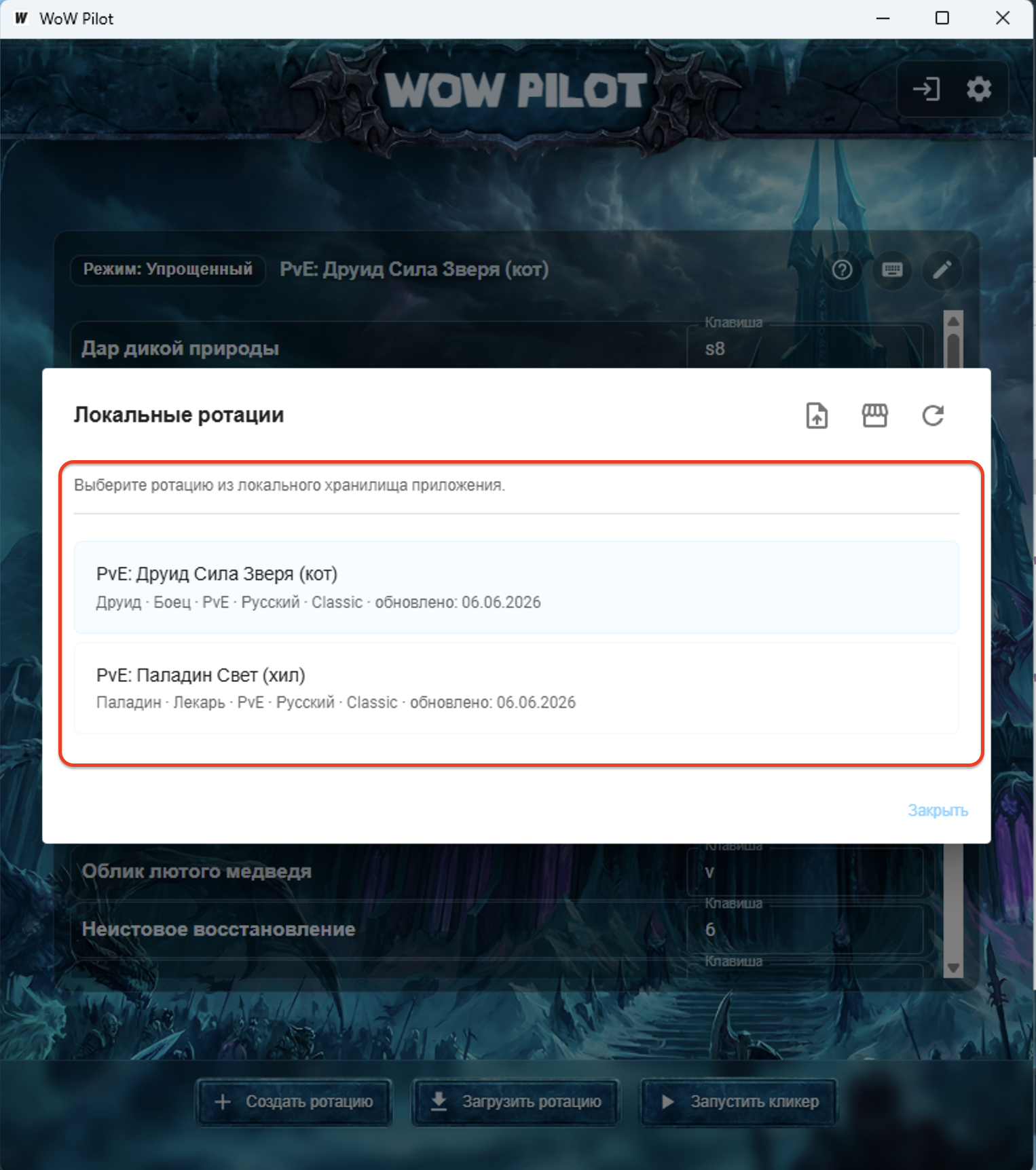
All downloaded rotations will be shown in the *Local rotations* window. Clicking a rotation will load it from your local rotation storage.
Done
Buy
First, test the rotation for free. If it fits, choose a suitable token for full combat mode without the 5-minute limit.
Rotation market
If you understand your class and game mechanics well, create your own rotations, share them with other players in the WoW Pilot rotation market, and help Project Ascension, Warmane, Sirus, WoW Circle, and other server communities become stronger.
And if other players find your autorotations useful, you can monetize your talent and receive cash rewards.
Custom rotation
If the available rotations do not fit your class, gear, server, or playstyle, create your own rotation based on a ready-made one.